
WPCoder Pro — The Swiss Army Knife for WordPress
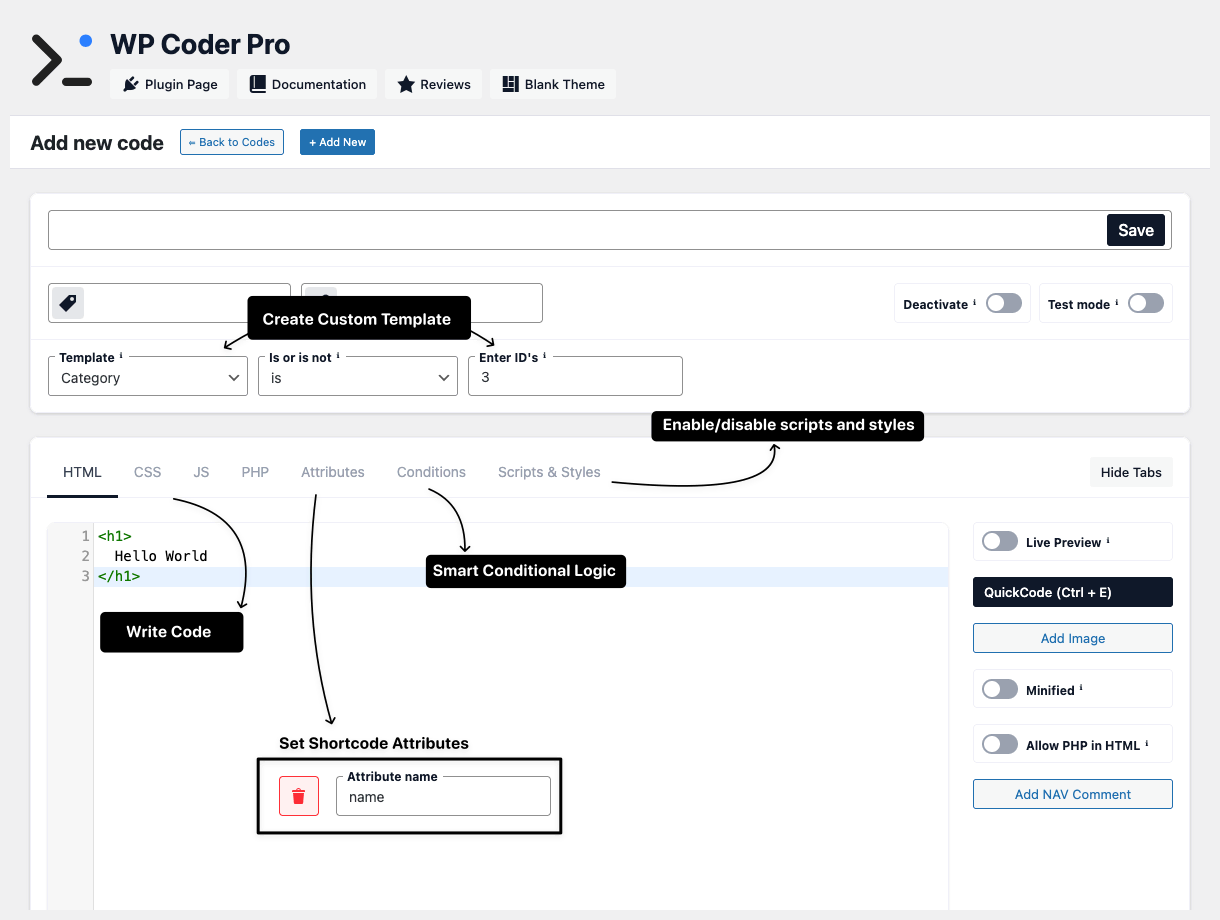
WP Coder Pro gives you complete control over HTML, CSS, JavaScript, and PHP on your WordPress site. Create dynamic Gutenberg blocks with attributes, conditional logic, and advanced targeting - all from your dashboard. Professional features for advanced WordPress customization and optimization Text, Number, Textarea, Richtext, Toggle, Color, Icon, and Repeater attributes for dynamic Gutenberg blocks Styles and scripts load only where blocks are inserted - optimize site performance automatically Remove unnecessary styles and scripts from other plugins - full control over what loads on your site Target by browser, OS, language, user roles, schedules with dates and times - Pro exclusive features Create unique pages with custom structure, styles, and logic - completely independent from your theme Professional WordPress tool for those who know code and want complete control Build custom solutions without editing theme files Deliver professional sites with advanced customizations Create unique landing pages for different clients Manage complex sites with professional tools
WP Coder Pro is a professional tool for code-savvy WordPress users who want complete control without theme file editing. If you understand code and need advanced features - this is for you.
Build dynamic, reusable blocks with attributes and smart code loading Define fields: text, number, color, toggle, repeater, etc. Use {{$variables}} and <If> tags for dynamic content CSS loads only on pages with this block - automatic optimization JavaScript executes only where block is inserted Access WordPress functions, database queries, or external APIs Client-editable, optimized, with conditional logic Gutenberg is WordPress's block-based editor that replaced the classic TinyMCE editor in WordPress 5.0. It allows users to create content using individual blocks for paragraphs, images, buttons, and more. Turn your code snippets into Gutenberg blocks with attributes, conditional logic, and automatic optimization - no React or JavaScript build tools required. Create unique pages with custom structure, styles, and logic - completely independent from your theme Build pages that don't inherit theme styles. Perfect for landing pages, sales pages, or special sections that need unique design. Define your own HTML structure, CSS grid layouts, and JavaScript behavior. No theme limitations, no conflicts. Export templates and import them to other sites. Build once, use everywhere - save time on repetitive layouts. Product launches, campaign pages, lead generation - each with unique design without affecting main site Long-form sales pages with custom sections, testimonials, pricing tables, and checkout integration Showcase work with masonry grids, lightboxes, filterable galleries - independent from theme portfolio Knowledge bases, API docs, user guides with custom navigation, search, and code examples Webinar registrations, conference schedules, ticket sales with countdown timers and live updates Member areas, client portals, admin dashboards with custom widgets and data visualization
Perfect for agencies and freelancers: Build client sites faster with reusable templates. Switch themes without losing custom pages. Deliver unique designs for each project.
Advanced capabilities exclusive to WP Coder Pro Text, Number, Textarea, Richtext/WYSIWYG, Toggle, Color, Icon (FontAwesome), Repeater Opera, Edge, Chrome, Safari, Firefox, IE + Windows, macOS, Linux, Android, iOS, ChromeOS Set specific days, time ranges, and date ranges for code display - perfect for campaigns Conditional <If> blocks with operators: equals, not_equals, contains, not_empty, empty Execute PHP code in HTML blocks with shortcode attributes as variables Custom maintenance page for frontend while you work - admins see normal site Create custom page templates for any post type and register WordPress menus - all by name, no coding Markdown editor for posts and taxonomies with ID-based exceptions See what you get with WP Coder Pro Real-world scenarios where WP Coder Pro excels Show Black Friday banner only on weekends in November for Chrome users on Windows Enable Maintenance Mode with custom page while you update - admins still see the site Create team member blocks with repeater fields - clients edit in Gutenberg, no training needed Display different content based on user's language setting - target by language Use Loop Logic <If> tags to show contact form only when toggle is enabled - no PHP needed Add tracking pixels, analytics code, custom scripts - manage from dashboard, no FTP One-time payment, lifetime updates and support Perfect for freelancers Best for small agencies For growing agencies After you purchase, we'll email you a private download link that includes everything you need. Built with developers in mind CSS/JS minification, HTML compression, and file caching for optimal performance Pre-built code templates for fast development and reusable components Professional tools for site maintenance, customization and development JSON-based backup and transfer system for easy migration Professional code editor with syntax highlighting and auto-completion Visual block with dynamic attributes for page builder integration Everything you need to know about WP Coder Pro Yes! You can try the free version of WP Coder on WordPress.org to test the basic features. The Pro version includes advanced features like custom attributes, browser/OS targeting, Loop Logic, and Custom Page Templates. We offer a 14-day money-back guarantee if you're not satisfied. Absolutely! WP Coder Pro works with any WordPress theme. In fact, one of the key Pro features is the ability to create Custom Page Templates that are completely independent from your theme, giving you full control over structure and design without theme limitations. The Free version includes basic code management (HTML, CSS, JS, PHP) with simple display conditions. The Pro version adds 8 attribute types, browser/OS/language targeting, schedule-based display, Loop Logic, PHP in HTML, Custom Page Templates, QuickCode, Maintenance Mode, and advanced development tools. Yes! We offer three licensing options: Single Site ($29), 5 Sites ($39), and 20 Sites ($49). Choose the plan that matches your needs. All plans include lifetime updates and support. Yes! All licenses include lifetime free updates and forever support. You'll receive all future feature releases and WordPress compatibility updates at no additional cost. Our support team is available to help with any questions or issues. Yes, WP Coder Pro is designed for developers, agencies, and advanced users who understand HTML, CSS, JavaScript, and PHP basics. If you're comfortable editing code and understand how WordPress themes work, you'll be able to use WP Coder Pro effectively. It's not a drag-and-drop page builder. Yes! WP Coder Pro works alongside Elementor, Beaver Builder, Divi, and other page builders. You can insert your custom code snippets via shortcodes or use Gutenberg blocks. WP Coder Pro gives you code-level control that page builders can't provide. After purchase, you'll receive an email with a private download link for WP Coder Pro, your license key, and installation instructions. You can activate the plugin immediately and start using all Pro features. No subscription or recurring payments required. Yes! All your existing snippets, settings, and data will be preserved when you upgrade to Pro. Simply deactivate the free version, install Pro, and activate it. Your previous work remains intact and you gain immediate access to all Pro features. Yes! WP Coder Pro includes security features like dangerous function blocking (eval, exec, system), test mode for safe previewing, and proper data sanitization. Your code is stored securely in your WordPress database and cached files are generated in your uploads directory. Still have questions? Get WP Coder Pro and unlock powerful features for advanced customizationManage Custom Code Like a Pro
Why WP Coder Pro?
Attribute Types
Smart Code Loading
Dequeue Unwanted Assets
Advanced Targeting
Custom Page Templates
Who is WP Coder Pro For?
WordPress Developers
Web Agencies
Freelancers
Advanced Users
Required Skills
Not For You If
Create Flexible Gutenberg Blocks
Add Attributes
Write HTML
Add Inline Styles
Add Script (Optional)
Use PHP for Advanced Logic
Result: Flexible Block
What is Gutenberg?
Why Use It for Pages?
With WP Coder Pro
Custom Page Templates
Theme-Independent Design
Full Control Over Structure
Reusable Across Projects
What You Can Build
Landing Pages
Sales Pages
Portfolio Layouts
Documentation Pages
Event Pages
Custom Dashboards
Pro Features
8 Attribute Types
Browser & OS Targeting
Schedule Display
Loop Logic
PHP in HTML
Maintenance Mode
Templates & Menus
Advanced Markdown
Free vs Pro
WP Coder Free
WP Coder Pro
Perfect For
Targeted Content
Site Maintenance
Client-Editable Blocks
Multilingual Sites
Conditional Logic
Analytics & Tracking
Simple, Transparent Pricing
Single Site
Get Started
5 Sites
Get Started
20 Sites
Get Started
How do we get it?
Technical Excellence
Code Optimization
Details
QuickCode Templates
Details
Advanced Site Tools
Details
Import & Export
Details
CodeMirror Editor
Details
Gutenberg Block
Details
Frequently Asked Questions
Can I try WP Coder Pro before purchasing?
Does WP Coder Pro work with any WordPress theme?
What's the difference between Free and Pro versions?
Can I use my license on multiple sites?
Will I receive updates and support?
Do I need coding knowledge to use WP Coder Pro?
Is WP Coder Pro compatible with page builders?
What happens after I purchase?
Can I upgrade from Free to Pro?
Is my code safe and secure?
Ready for Professional WordPress Code Management?