Opened 4 months ago
Closed 3 months ago
#63954 closed enhancement (fixed)
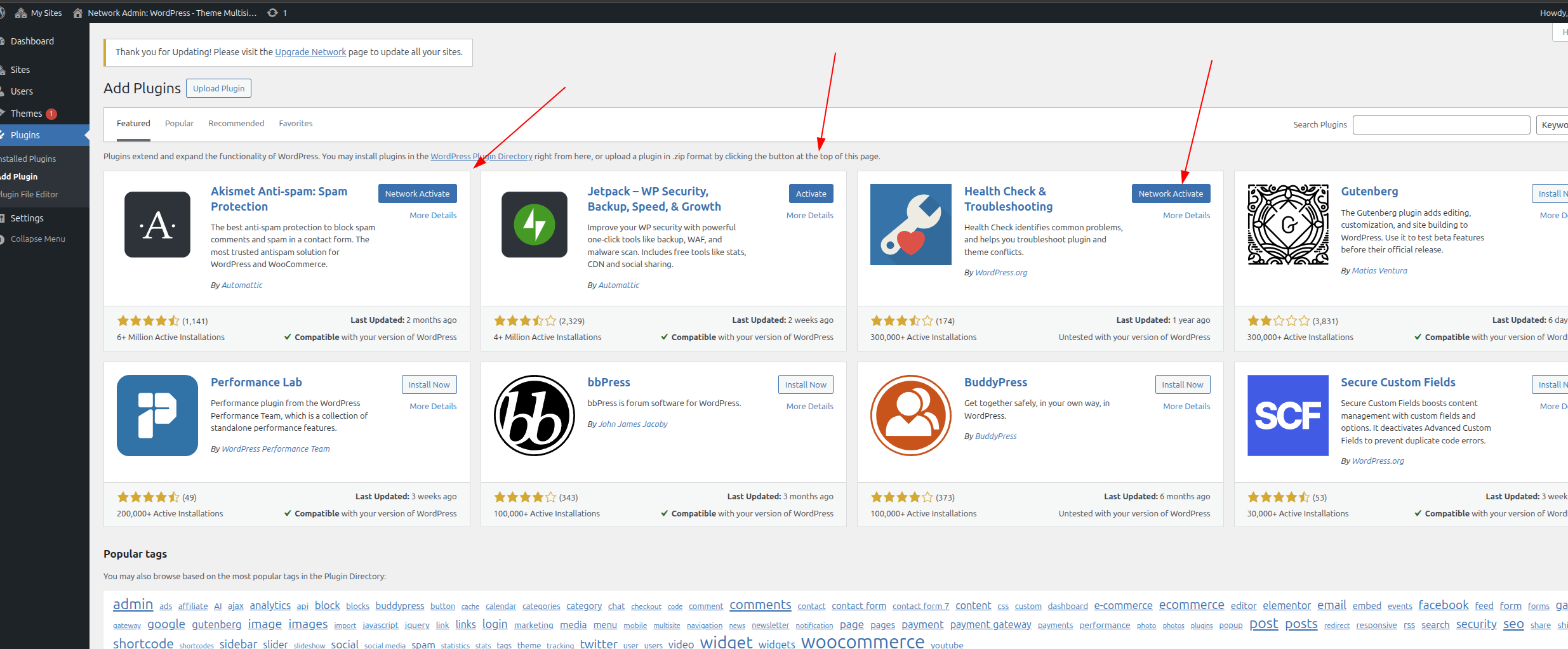
The "Activate" button label should change to "Network Activate" after clicking the "Install Now" button in Plugins > Add Plugin.
| Reported by: |
|
Owned by: |
|
|---|---|---|---|
| Milestone: | 6.9 | Priority: | normal |
| Severity: | normal | Version: | |
| Component: | Plugins | Keywords: | has-patch has-test-info |
| Focuses: | administration, multisite | Cc: |
Description
Issue Reproduction Steps:
- Set up a multisite network WordPress website.
- Go to Network Admin > Plugins > Add New
- Locate any plugin and click on the "Install Now" button.
- After the plugin is installed, you will see the "Activate" button. The button label should be "Network Activate". Please refer to the attached screenshot.
Attachments (1)


Change History (14)

This ticket was mentioned in PR #9844 on WordPress/wordpress-develop by @pmbaldha.
4 months ago
#2
- Keywords has-patch added; needs-patch removed
#3
 @
@
4 months ago
- Milestone changed from Awaiting Review to 6.9
- Owner set to audrasjb
- Status changed from new to reviewing
- Version trunk deleted
@shailu25 commented on PR #9844:
4 months ago
#4
| Before | After |
|---|---|
| |

This ticket was mentioned in Slack in #core by welcher. View the logs.
4 months ago
#7
 @
@
4 months ago
It seems this happening right after installation process done, but not after page refresh(it shows "Network Activate" if you do that.
#8
 @
@
4 months ago
- Keywords has-test-info added; needs-testing removed
Test Report
Description
This report validates that the submitted patch resolves the button label issue in a multisite network installation.
Patch tested: https://github.com/WordPress/wordpress-develop/pull/9844
Environment
- WordPress: 6.8.2
- PHP: 8.2.27
- Server: nginx/1.26.1
- Database: mysqli (Server: 8.0.35 / Client: mysqlnd 8.2.27)
- Browser: Chrome 140.0.0.0
- OS: Windows 10/11
- Theme: Twenty Twenty-Five 1.3
- MU Plugins: None activated
- Plugins:
- Test Reports 1.2.0
Actual Results
- ✅ After installing a plugin in Network Admin, the button label now correctly displays "Network Activate" immediately after installation (without needing to refresh the page).
Additional Notes
- As mentioned by @rollybueno, the issue occurred only immediately after the installation step and not after a page refresh.
Supplemental Artifacts
Before: https://prnt.sc/mQ9uqoOfpYUp
After: https://prnt.sc/mJUgBlDzs1Tp
#9
@
4 months ago
I don't seem able to run this properly and it's always on "Activate" not "Network Activate" as intended.

Did the following:
- Install as multisite
- Fetch PR and checkout
- Run
npm run build:dev - Restart Docker
- Run
npm run env:start - Test on http://localhost:8889/wp-admin/network/plugin-install.php?tab=featured
I also double check if the code from https://github.com/WordPress/wordpress-develop/pull/9844 is on Docker container and confirmed it's there:

Hey @nikunj8866 - since you are able to successfully test based on your report, any additional steps you did in order to make it working on your end?
#10
@
4 months ago
Hey @nikunj8866 - since you are able to successfully test based on your report, any additional steps you did in order to make it working on your end?
Actually never mind - I was able to make it work after several repetitive builing the assets and test on separate incognito browser.
This patch works on my end!
Trac ticket: https://core.trac.wordpress.org/ticket/63954