This repository contains a fullstack web application with separate frontend and backend services. It includes:
- Frontend: An Angular 18 application with Bootstrap for the UI
- Backend (JavaScript): A Node.js/Express application using JavaScript
- Backend (TypeScript): A Node.js/Express application using TypeScript
Each component can be installed, developed, and deployed independently.
- Live Demo
- Frontend - Angular
- Backend - Node.js (JavaScript)
- Backend - Node.js (TypeScript)
- Author
- Documentation
A live demo is available at https://angular.ganatan.com.
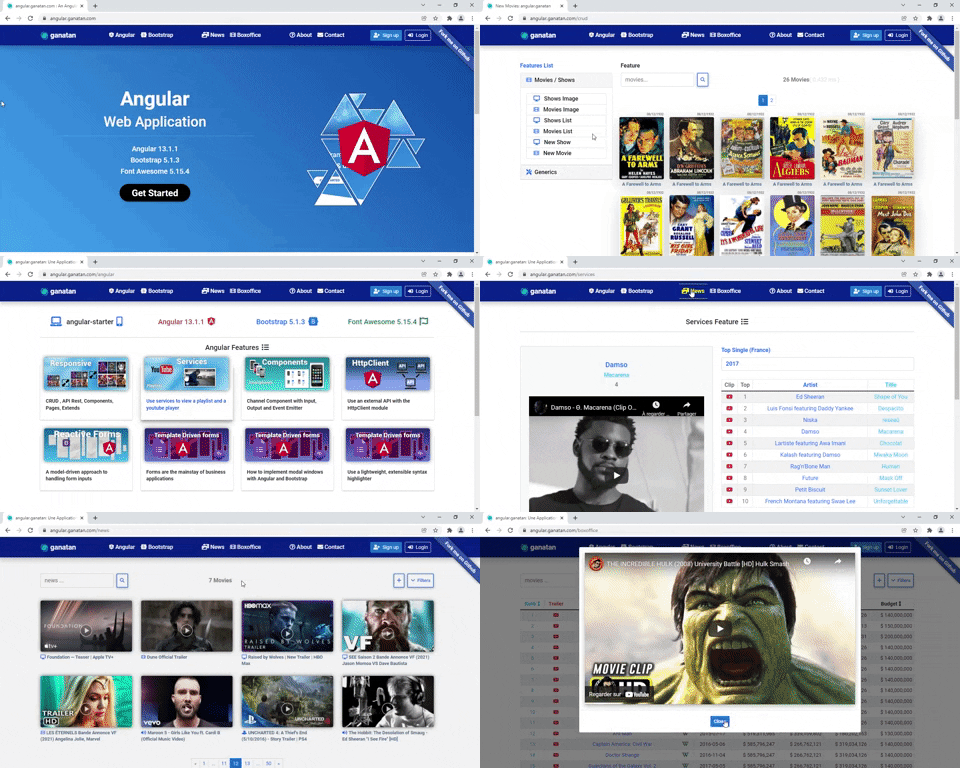
To get started with the Angular frontend:
# Clone the repository
git clone https://github.com/ganatan/angular-app.git
cd angular-app/frontend-angular

# Install dependencies and start the development server
npm install
npm start
Visit http://localhost:4200 in your browser.
npm run start– Start the development servernpm run lint– Run the linternpm run test– Run testsnpm run build– Build the application for production
To run the Angular application in Docker:
# Build Docker image
docker build -t angular-starter:1.0.0 .

# Run Docker container
docker run -d -p 4000:4000 angular-starter:1.0.0
Visit http://localhost:4000 in your browser.
To get started with the JavaScript backend:
# Navigate to the backend directory
cd angular-app/backend-node-javascript

# Install dependencies and start the development server
npm install
npm start
Visit http://localhost:9000 in your browser.
npm run start– Start the development servernpm run lint– Run the linternpm run test– Run testsnpm run build– Build the application for productionnpm run serve– Start the server in production mode
To get started with the TypeScript backend:
# Navigate to the backend directory
cd angular-app/backend-node-typescript

# Install dependencies and start the development server
npm install
npm start
Visit http://localhost:9000 in your browser.
npm run start– Start the development servernpm run lint– Run the linternpm run test– Run testsnpm run build– Build the application for productionnpm run serve– Start the server in production mode
- Danny - Ganatan
For step-by-step tutorials and more information:
- English - https://www.ganatan.com/tutorials/en
- Français - https://www.ganatan.com/tutorials