


We still remember staring at our WordPress dashboard many years ago, completely confused about why our website traffic had suddenly dropped.
We had no idea which blog posts were actually being read, where our visitors were coming from, or what they were doing once they landed on our site.
Without proper analytics, you are basically flying blind. Imagine spending hours writing content but having no clue if anyone was reading it or if they were leaving after a few seconds.
That’s where choosing the right analytics plugin is essential for understanding our audience and growing our website. After extensive testing, we uncovered that MonsterInsights, SearchWP, and AIOSEO are the best options to choose from.
In this article, we’ve handpicked 9 popular analytics plugins for WordPress and compared their features to help you choose the right option.
Here’s a quick overview of our top picks:
| # | Analytics Plugins | Best For | Starting Price |
| 1. | MonsterInsights | Beginners & non-technical users | $99.50/year |
| 2. | SearchWP | Internal search tracking | $99/year |
| 3. | All in One SEO (AIOSEO) | SEO-focused analytics | $49.50/year |
| 4. | ExactMetrics | Small business owners | $99.50/year |
| 5. | Analytify | Visual data presentation | $99/year |
| 6. | GA Google Analytics | Free basic tracking | Free |
| 7. | 10WebAnalytics | Business growth | $85/year |
| 8. | Enhanced Ecommerce Google Analytics | WooCommerce stores | $139/year |
| 9. | WP Statistics | Cookie-free tracking | Free + $119/year |
Why Should You Use an Analytics Plugin?
Before we get to the plugin overviews, let’s talk about why you should use an analytics plugin on your WordPress site.
The analytics plugin allows you to automatically collect valuable data about your visitors, which you can further use to improve your marketing strategy.
Namely, using such a kind of plugin, you can:
- Get insights into your audience demographics, geography, and interests
- Figure out how people find your site and what you can do to increase your traffic
- Learn what type of content on your site is most popular
- See how many clicks your links get and what their click-through rate is
- Increase your conversion rate by breaking down your customers’ journey into steps
In addition, analytics plugins usually allow you to link your site to Google Analytics without editing your theme code.
It’s handy for beginners and helps you start collecting data straight away.
Now, let’s see how we tested each plugin and bring you the best options.
How We Test and Review Analytics Plugins
When testing WordPress analytics plugins, we focus on what really matters for small business owners and WordPress users. We need to know if a plugin actually helps you understand your visitors without making things complicated.
We install each analytics plugin on real WordPress websites and run them for several weeks. This gives us time to see how accurate the data is, how the plugin affects site speed, and whether the reports actually make sense.
Our testing process looks at ease of setup because nobody wants to spend hours configuring an analytics plugin.
We also check how quickly we can connect to Google Analytics, whether the dashboard is easy to read, and if the reports provide us actionable information we can actually use.
With that, let’s move on to the 9 most popular WordPress analytics plugins.
1. MonsterInsights – Best WordPress Analytics Plugin for Beginners
MonsterInsights is one of the most powerful WordPress analytics plugins on the market. We’ve been using MonsterInsights on several of our websites for years now.
It takes all that complex Google Analytics data and presents it right inside your WordPress dashboard in a way that actually makes sense. You don’t need to be a data analyst to understand where your traffic comes from or which posts are performing best.
Plus, it allows you to connect your site to Google Analytics and properly configure it in a few easy steps without editing your theme code.
MonsterInsights lets you to track almost everything on your site and see the complete picture of your business performance.
For example, you can get detailed reports on your traffic, the conversion rate of your landing pages, the click-through rate of your links, and more.
The best part is that you don’t even have to leave your site to view these reports, as MonsterInsights displays them in your WordPress dashboard.
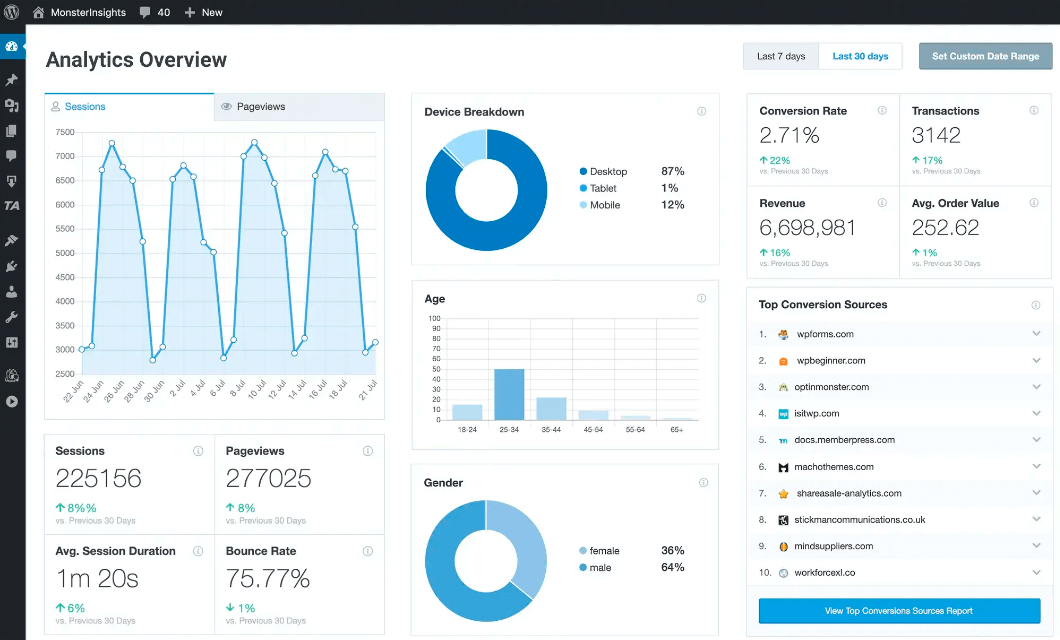
It’s convenient for eCommerce site owners since they can immediately see comprehensive data on their sales.
Namely, they can track their revenue, conversion rate, number of transactions, top conversion sources, and other vital metrics.
More than 3 million website owners already use MonsterInsights to collect data about their online performance and grow their business.
Features:
- Beginner-friendly. You can effectively use MonsterInsights to grow your business regardless of your WordPress knowledge and digital marketing skills.
- Easy GA integration. Connect your site to Google Analytics in just a few clicks without making any changes to your WordPress theme code.
- Real-time analytics. Get instant reports on what visitors are doing on your site, where they came from, and more—all within your WordPress dashboard.
- eCommerce reports. See the full picture of your customers’ journey from entering your site to making a purchase with enhanced eCommerce tracking.
- Affiliate links tracking. Increase your affiliate income by gathering information about how many clicks your affiliate links get, how clickable they are, and more.
- Forms tracking. Automatically track sign-up, contact, lead, and any other forms on your site to increase your conversion rate.
- EU Compliance. Helps you comply with privacy laws like GDPR, CCPA, and more.
Our Verdict: MonsterInsights is our top pick for most WordPress users, especially if you’re new to analytics or don’t want to deal with Google Analytics directly. The plugin makes understanding your website data simple and actionable.
Pricing: The basic version is free. The Pro version, which comes with extended reports, enhanced tracking, and a set of growth tools, starts from $99.50/year for 1 site.
2. SearchWP – Best Plugin for Internal Search Analytics
SearchWP is the best WordPress search plugin that helps you deliver more relevant search results to your visitors.
Most website owners focus on traffic from Google but completely ignore what visitors search for once they’re on the site. This is a huge missed opportunity because internal search data tells you exactly what your audience wants to find.
Even though it’s not a classic analytics plugin and is designed to boost your site search, it comes with a powerful Metrics extension.
Using this extension, you can track your visitors’ searches, see which pages get a higher click-through rate in search results, and more.
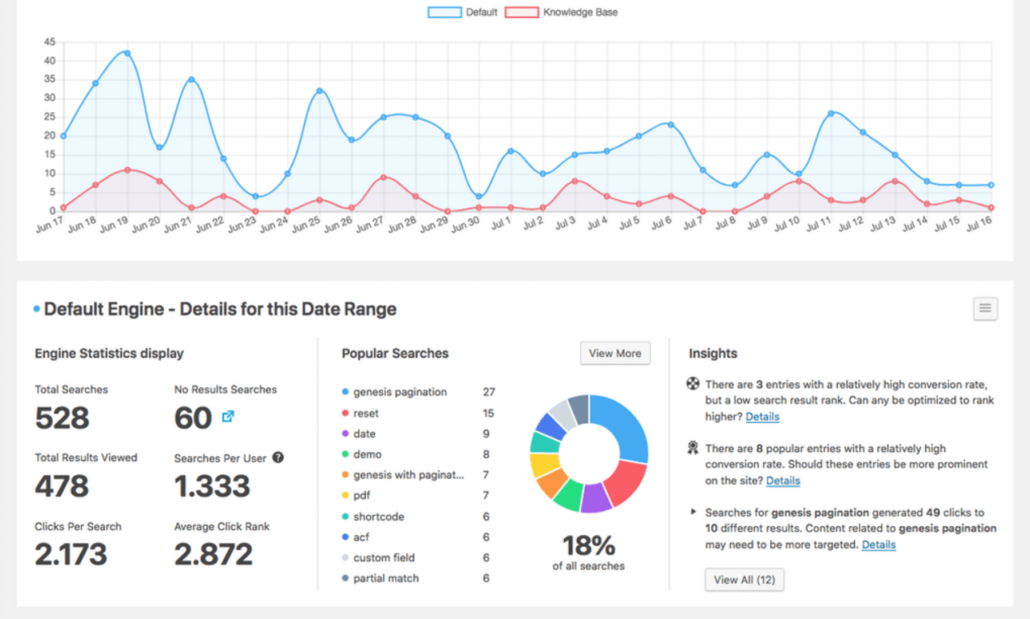
By analyzing this data, you can get new content ideas, find out what’s missing from your site, and see whether it has duplicate content.
In addition, using SearchWP, you can make the search on your site way smarter, allowing you to increase your pageviews and boost your sales.
Features:
- Search tracking. Track your visitors’ search queries to better understand their needs, find out what content is most popular on your site, and more.
- Dashboard widget. See all important metrics when you log in to your site, as the Metrics extension comes with an informative dashboard widget.
- Customize data. Choose which search engines and metrics you want to see, control the date range, search terms, and other data that will be displayed.
- Automatic theme integration. SearchWP automatically integrates with every search form on your site, so you can start tracking searches right away.
Our Verdict: SearchWP is perfect if you run a product or content heavy website where visitors use search frequently. The analytics data helps you understand what your audience wants and shows you exactly what content you should create next.
Pricing: Starting from $99/year for 1 site.
3. All in One SEO (AIOSEO) – Best Plugin for SEO-Focused Tracking
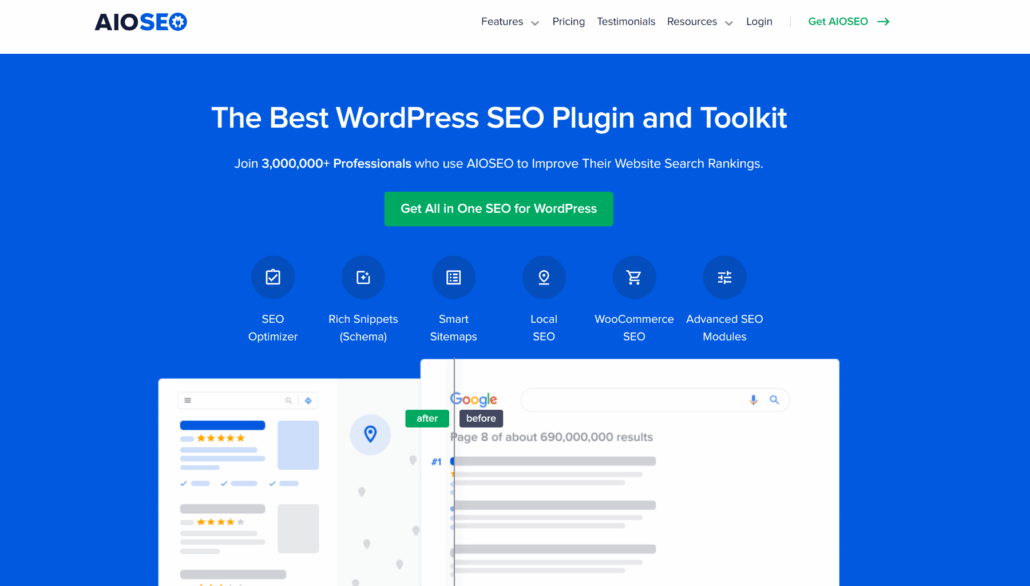
All in One SEO (AIOSEO) is the #1 WordPress SEO plugin on the market, with over 3 million active users.
The main purpose of this plugin is to help you optimize your site for better ranking in search engines, but it also has a couple of powerful analytics features.
We’ve been using All in One SEO (AIOSEO) on multiple websites, and its analytics features give us exactly what we need to improve our search rankings. The plugin combines traditional analytics with SEO-specific data, showing us not just how many visitors we get but how our content performs in search results.
During testing, we could see which keywords were bringing in traffic, how our posts ranked for specific search terms, and which pages needed SEO improvements. This connection between analytics and SEO strategy proved incredibly valuable.
Besides that, you can easily add your site to Google Search Console without changing your theme code. It saves time and helps beginners make the first steps in search engine optimization of their site.
AIOSEO also allows you to perform a comprehensive analysis of your site to see how you can optimize it for search engines. This way, you can apply the best SEO techniques to your site without being technically savvy and drive more traffic from search engines.
Plus, using AIOSEO, you can also perform in-depth SEO analysis of your competitors’ website pages. It’ll allow you to see what their weak spots are and learn how you can overtake them in Google results.
Features:
- Webmaster tools verification. Connect your site with Google Search Console in a few clicks to get useful insights on your website’s performance in search results.
- On-page analysis. Run an in-depth analysis of your pages to find out what you can do to improve their position in Google search results.
- Rich snippets schema. Apply the markup scheme to your pages in a few clicks to get rich snippets in Google search results and attract more traffic.
- Smart XML sitemaps. Create intelligent XML sitemaps that automatically notify search engines of new content on your site so it gets indexed faster.
- Link assistant. Get suggestions for internal linking opportunities to improve your site’s internal linking and increase organic traffic.
- SEO audit checklist. Analyze your site and get an actionable SEO checklist that you can follow to optimize your site for better ranking in search engines.
Our Verdict: AIOSEO is the best choice if you’re serious about improving your search engine rankings. The plugin doesn’t just show you traffic numbers; it connects your analytics data directly to SEO improvements. If you want to understand how your content performs in search engines and get actionable insights to rank higher, AIOSEO delivers everything you need in one tool.
Pricing: The basic version is free. The premium version that comes with keyword tracking, advanced SEO tools, and powerful integrations starts from $49.50/year for 1 site.
4. ExactMetrics – Best Analytics Plugin for Small Business Owners
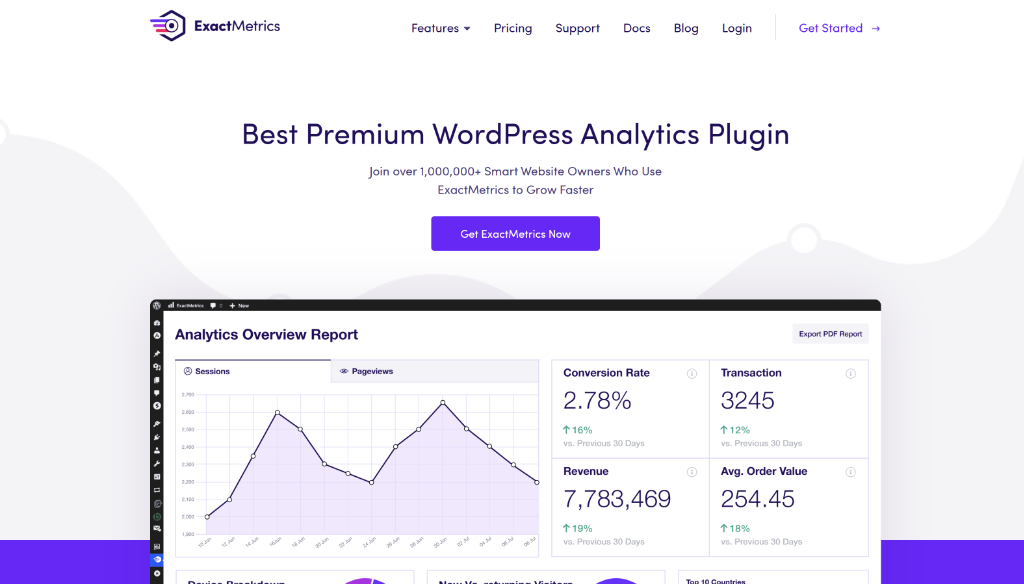
ExactMetrics is a popular beginner-friendly WordPress analytics plugin with over 1 million active installs.
Like MonsterInsights, it also helps you to set up Google Analytics on your site without making any changes to your WordPress theme.
We’ve tested ExactMetrics extensively on small business websites, and it delivers exactly what busy entrepreneurs need. The plugin brings your Google Analytics data directly into WordPress, giving you instant access to the metrics that matter for your business decisions.
Another outstanding feature of ExactMetrics is that it allows you to use advanced tracking features even if you’re a complete WordPress newbie.
For example, you can measure the average page scroll depth, count the number of your file downloads, collect various data on your affiliate links, and many more.
You can also browse beautiful analytics reports without leaving your WordPress dashboard.
Features:
- Analytics dashboard. Gather data on your visitors’ behavior and view beautiful reports focused on actionable insights in your WordPress dashboard.
- Page-level insights. Find out which sections of your pages get the most attention, and use this info to promote your special deals, affiliate links, or anything else.
- Enhanced link attribution. Track your links and call-to-action buttons to see how many clicks they get and which of them are the most clickable ones.
- Detailed eCommerce reports. Use Google Analytics Enhanced eCommerce tracking with WooCommerce, EDD, and MemberPress to monitor your store performance.
- EU Compliance. Automatically make Google Analytics on your site compliant with privacy regulations like GDPR, CCPA, PECR, PIPEDA, and others.
- Event tracking. Track when users download files from your site, scroll to a specific element on a landing page, fill out a form, and many other events.
Our Verdict: ExactMetrics is perfect if you run a small business and need clear, actionable analytics without the complexity. It gives you the insights you need to make smart decisions without wasting time figuring out complicated reports.
Pricing: The basic version is free. The Pro version that comes with an analytics dashboard, eCommerce reports, and advanced tracking, starts from $99.50/year for 1 site.
5. Analytify – Best Plugin for Visual Analytics
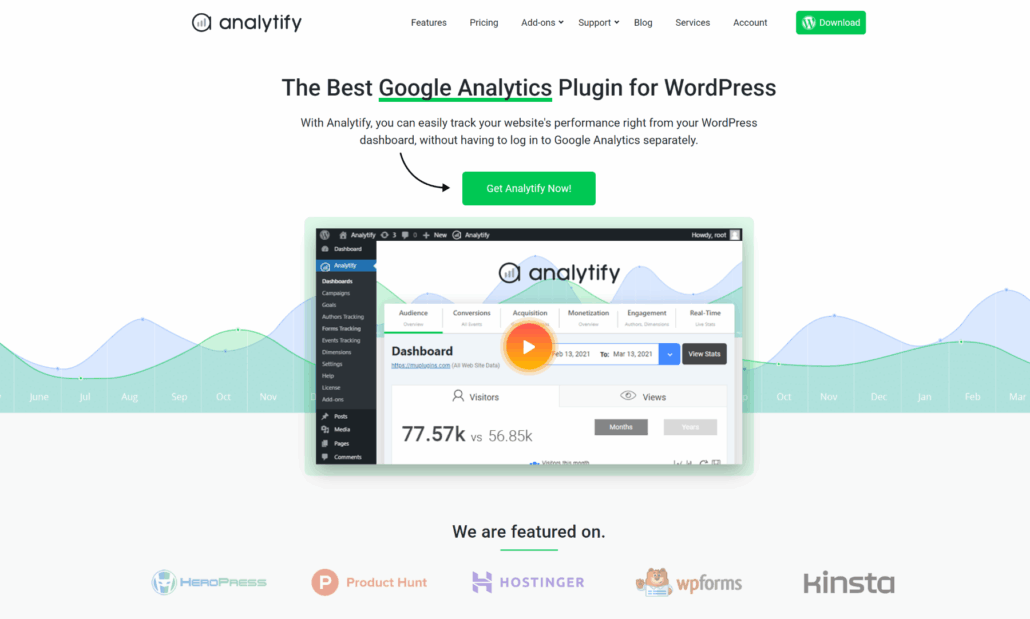
Analytify is another powerful WordPress analytics plugin packed with plenty of useful features.
We’ve tested Analytify on several websites, and it stands out for making analytics data beautiful and easy to understand. The plugin takes your Google Analytics information and presents it in clean, visual reports that make sense at a glance.
It captures detailed data on every page view, click on a link, form submission, scroll, and other actions visitors take on your site.
The front-end analytics feature lets you display stats directly on your published posts.
We tested this with a test site where we wanted to show social proof by displaying page view counts. Visitors could see how many people had read each article, which increased credibility and engagement.
Features:
- Social media stats. Track the performance of your social media marketing campaigns and find out which sources are the most effective ones.
- Only useful metrics. Get rid of redundant built-in Google Analytics metrics and track only those that actually affect your results.
- Enhanced eCommerce tracking. Find out where your customers come to your site from, why they leave the cart, what products generate the most income, and more.
- Page-level analytics. See individual metrics of every post and page in your WordPress dashboard to learn what type of content your audience is most interested in.
- Frontend Reporting. Show users stats of their listings on your site’s frontend.
Our Verdict: Analytify is the best choice if you want analytics that look good and are easy to understand. The visual presentation makes it perfect for sharing data with clients or team members who aren’t analytics experts.
Pricing: The basic version is free. The Pro version comes with premium addons, priority support, and event tracking, and it starts at $99/year for 2 sites.
6. GA Google Analytics – Best Plugin for Adding Tracking Code

GA Google Analytics is a fast and lightweight plugin that you can use to connect your site with Google Analytics.
It’s a good choice if you’re just looking for a quick way to add Google Analytics tracking code to your WordPress site.
What we appreciated during testing was the plugin’s simplicity. It provides a straightforward way to connect your website to Google Analytics without touching any code or editing theme files.
You just enter your tracking ID, and the plugin handles the technical implementation automatically.
Features:
- Quick Google Analytics integration. Connect your site to Google Analytics in a few simple steps, no coding required.
- Multiple tracking codes. Add multiple tracking codes, configure them the way you want, and select a location for each one individually.
- Customizable tracking. Customize your Google Analytics tracking code to meet your business goals with no limits.
- Enhanced link attribution. Markup your links with UTM parameters to track the performance of your marketing campaigns.
Pricing: The basic version is free. The Pro version that comes with advanced tracking features, lifetime auto-updates, and premium support, starts from $20/year for 1 site.
7. 10WebAnalytics – Best Analytics Plugin for Growing Your Site
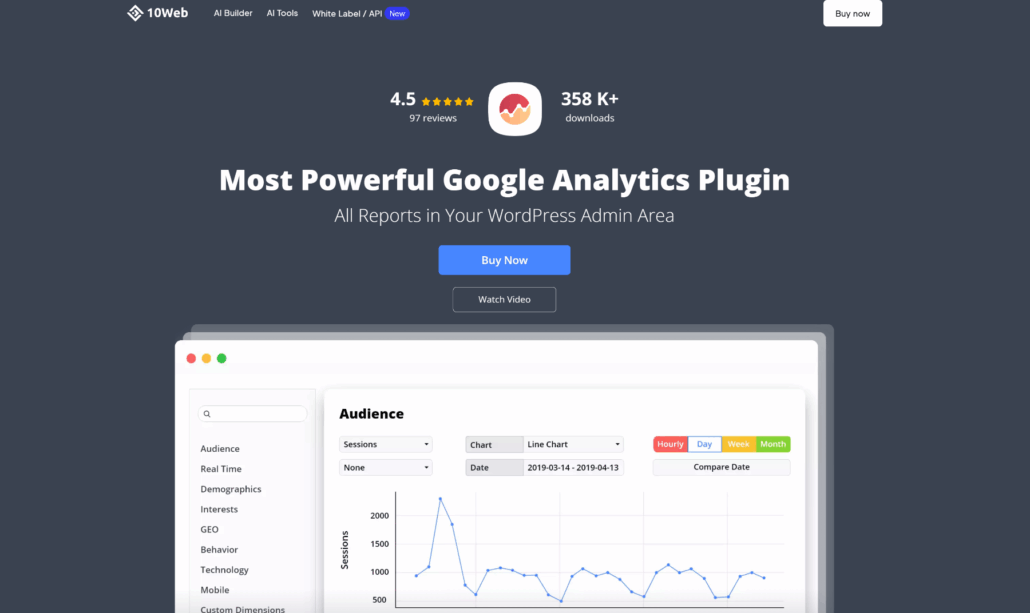
10WebAnalytics is one of the top Google Analytics plugins for WordPress, with over 358,000 active installs.
It gives you comprehensive reports on your audience right in your WordPress admin area.
What impressed us during testing was the easy setup process. The plugin connects to your Google Analytics account directly through authentication, so you don’t need to copy and paste tracking codes manually.
10WebAnalytics is part of the 10Web premium plugins and tools. This allows you to get over 50 different plugins and extensions as part of a bundle, which can help you grow your business.
Features:
- Custom reports. Build your custom reports with only the metrics you want to see, and choose how they should be displayed.
- Alerts and notifications. Set up specific triggers on which you want to receive notifications and alerts to quickly respond to changes in your traffic.
- Goal management. Add goals for traffic or specific metrics you want to achieve, and track your progress toward them.
- Custom tracking code. Set up your tracking code to exclude from your statistics visitors by specific parameters, such as geographic location, role types, IP address, and more.
- Front-End Reports. Present page traffic and statistics on the front end of a website.
Our Verdict: 10WebAnalytics is a solid choice if you want an easy way to add Google Analytics to your WordPress site and get hold of additional premium plugins and extensions to grow your site.
Pricing: This is a premium plugin that comes in a bundle with over 15 premium WordPress plugins and starts from $85/year for 3 sites.
8. Enhanced Ecommerce Google Analytics – Best Plugin for WooCommerce
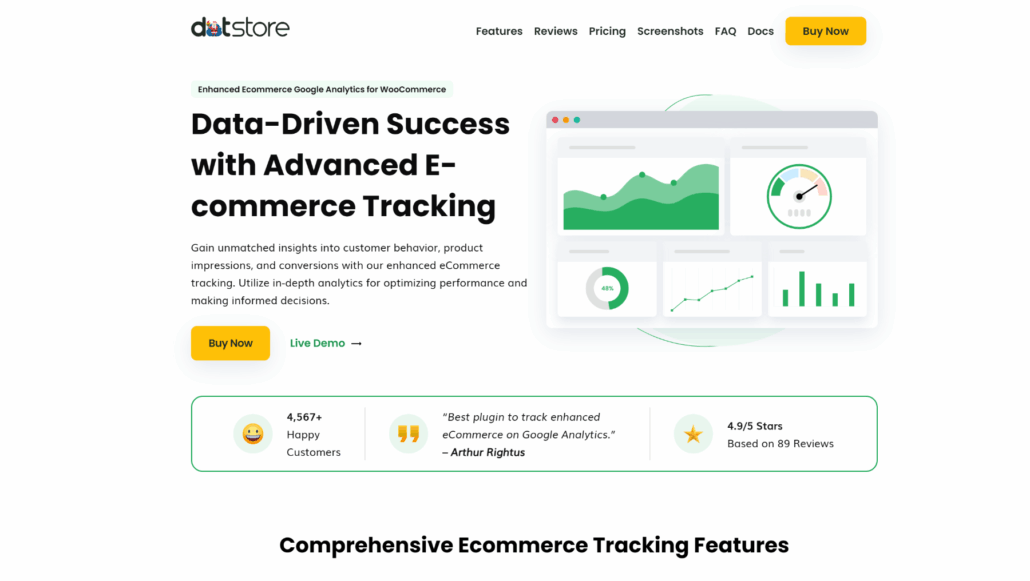
Enhanced Ecommerce Google Analytics is a great option if you’re looking for an analytics plugin to track the performance of your WooCommerce store.
This plugin allows you to track everything that happens in your store and get detailed reports on every step of your customers’ journey.
What impressed us during testing was how much detail the plugin tracks automatically. Once we set it up, it started recording product impressions, clicks, add-to-cart actions, checkout steps, and completed purchases.
We could see exactly where customers were in the buying process and where they abandoned their carts.
Besides that, the plugin tracks individual product performance in ways that regular analytics can’t.
During our testing, we could see which products were viewed most often, which ones got added to carts but not purchased, and which items drove the most revenue.
Features:
- Easy setup. Install the plugin and connect your WooCommerce store to Google Analytics in a few clicks.
- Real-time stats. See real-time stats on how many visitors are on your site right now, what the average session duration is, what the most popular content is, and more.
- In-depth reporting. Monitor everything that’s going on on your site, including file downloads, form filling, commenting, and other events.
- eCommerce tracking. Get a robust set of reports on your store performance to see the possible growth points and increase your sales.
Our Verdict: Enhanced Ecommerce Google Analytics is the best free option if you run a WooCommerce store and want detailed sales tracking. The setup takes more effort than plug-and-play solutions, but the depth of eCommerce data you get is worth it.
Pricing: The basic version is free. The Pro version comes with enhanced analytics, premium support, and more, with prices starting from $139/year for 1 site.
9. WP Statistics – Best Privacy-Focused Analytics
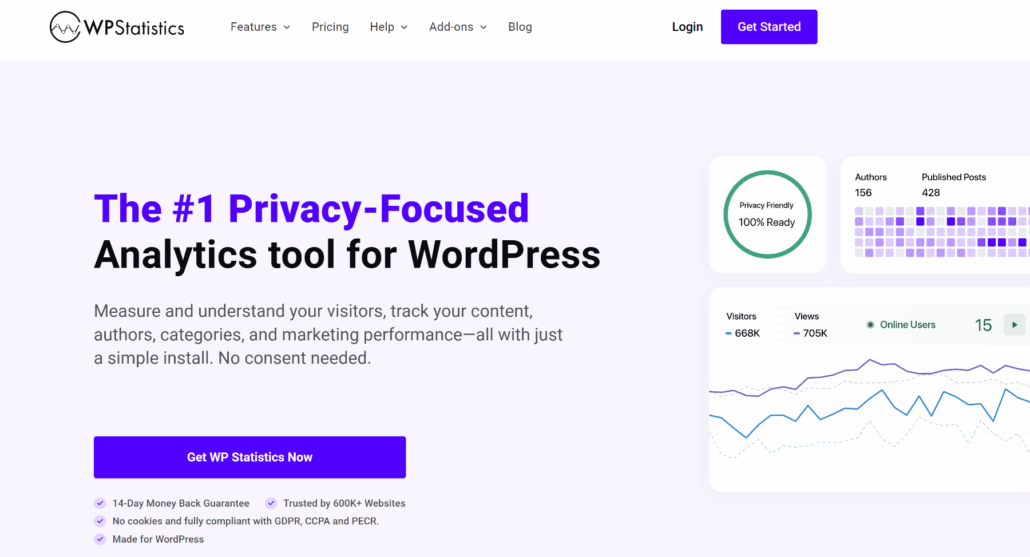
WP Statistics is a free and simple WordPress analytics plugin with over 600,000 active installs.
Privacy regulations and cookie consent requirements have complicated traditional analytics tools to use legally. Many website owners want to track their visitors without dealing with cookie banners or worrying about GDPR compliance issues.
We’ve tested WP Statistics on multiple WordPress sites, and it offers a unique approach to analytics that doesn’t rely on cookies or external services.
The plugin tracks visitor data directly on your WordPress site without sending any information to third parties like Google.
The cookie-free tracking means you don’t need those annoying cookie consent popups for basic analytics. During our testing, this simplified our site’s user experience significantly. Visitors could browse without being interrupted by privacy notices.
Features:
- No Need for Cookie Banners. Easily stay compliant with privacy regulations without cookie banners or consent.
- Content-based statistics. Find out which post categories, tags, and authors are the most popular on your site.
- Widget support. Share metrics of your site with your audience by placing widgets in your widget areas.
- Data export. Export gathered data on your site performance in TSV, XML, and CSV formats to analyze it whenever you want.
- GDPR compliance. Automatically make Google Analytics on your site compliant with various countries’ privacy regulations.
Our Verdict: WP Statistics is perfect if you want simple, privacy-friendly analytics without external dependencies. The cookie-free approach eliminates compliance headaches, and keeping data on your server gives you complete control.
Pricing: The plugin is free. The premium features, like advanced reporting, Google Search Console, REST API support, and more, starts from $119/year for 1 site.
Which is the Best Google Analytics Plugin for WordPress?
After we’ve taken a look at the 9 most popular WordPress analytics plugins, it’s time to pick a winner.
Given the number of features, ease of use, and value for money, we believe that MonsterInsights is the best WordPress analytics plugin.
It makes it easy to integrate your site with Google Analytics and properly set it up regardless of your technical skills.
Plus, the built-in Google Analytics dashboard allows you to take a look at advanced metrics of your site without leaving your site.
MonsterInsights is perfect for staying on top of your key SEO metrics. Using it, you can see how users engage with your site, which links they click, how you can improve your content, and more.
It also comes with advanced eCommerce tracking, allowing you to see your conversion rate, average order value, best-selling products, and other useful metrics in real-time.
By analyzing this data, you can reduce cart abandonment on your site and boost your sales. MonsterInsight also has an impressive base of addons that further expand its features.
For example, the EU Compliance addon allows you to automatically comply with data protection laws, which is handy and saves time.
FAQs About Best Analytics Plugins for WordPress
1. What is a WordPress analytics plugin?
A WordPress analytics plugin helps you track and understand your website visitors. It shows you how many people visit your site, which pages they view, where they come from, and what actions they take. Most analytics plugins either connect to Google Analytics or provide their own tracking system directly in WordPress.
2. Do I need Google Analytics if I use an analytics plugin?
It depends on the plugin you choose. Some plugins, like MonsterInsights and ExactMetrics, require a Google Analytics account because they display Google Analytics data in WordPress. Other plugins like WP Statistics work independently and don’t need Google Analytics at all. We recommend starting with Google Analytics because it’s free and provides comprehensive data.
3. Can I use multiple analytics plugins at the same time?
Technically yes, but we don’t recommend it. Running multiple analytics plugins can slow down your site and may cause tracking conflicts that make your data inaccurate. Choose one main analytics solution and stick with it. If you need specific features from different plugins, look for an all-in-one solution that offers everything you need.
4. How do I know if my analytics plugin is tracking correctly?
After installing an analytics plugin, visit your website in a different browser or incognito mode. Then check your analytics dashboard to see if the visit was recorded. Most plugins show real-time visitor data, so you should see yourself appear within a few minutes. You can also use browser extensions or Google Tag Assistant to verify the tracking code is firing properly.
We hope this article helped you pick the best WordPress analytics plugin. You may also want to see our list of best WordPress page builders for newbies and the best affiliate marketing plugins for WordPress.
Ready to start collecting data on your site? You can get started with MonsterInsights here.